AI Consulting
Business Systems Integration: What to Connect Before Buying a Tool
Business systems integration connects the tools you already use so information reaches the next person without retyping or chasing. Before buying another tool, decide which records each existing tool owns, connect a contained handoff, and check how the connection recovers when something goes wrong.
You may already have a place for contacts, jobs, documents and invoices, yet still need someone to remember which details changed. For a lean Australian team, another subscription needs to solve a specific gap without adding another place to check.
We start with the work that stops between tools. This guide helps you decide what to keep, connect or replace, then write the rules for a first connection you can test.
Decide which tools to keep, connect or replace
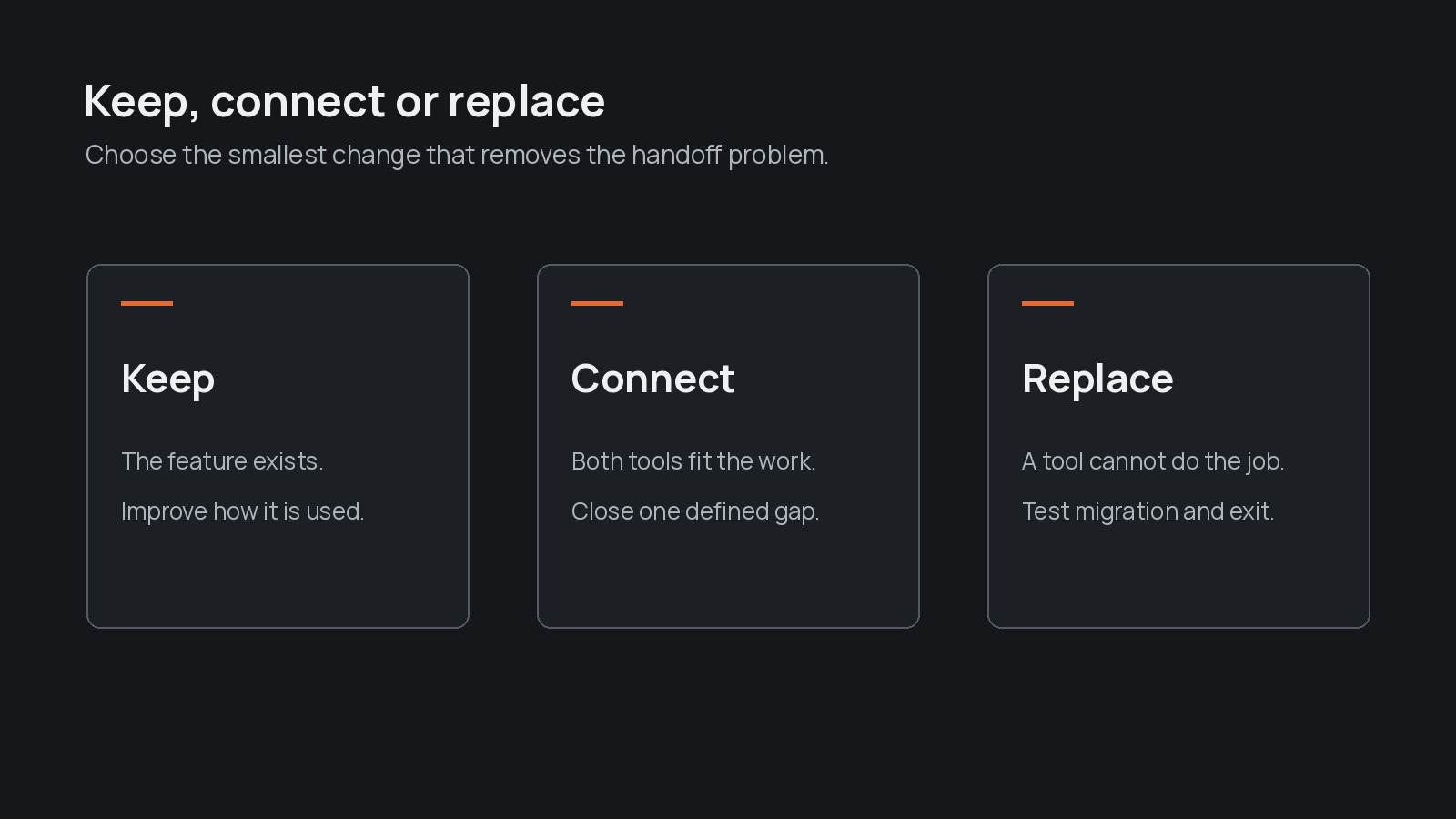
Keep a tool when it serves its job and holds records your team can trust. Connect tools when the same information needs to move between them. Consider replacement when a tool cannot support essential work, appropriate access or a workable connection.
Use this decision table before comparing products.
Decision comparison
- Keep: evidence to look for: The tool does its job and people use it; check before committing: Can the team maintain accurate records?.
- Connect: evidence to look for: People retype information that exists elsewhere; check before committing: Can the required fields move safely?.
- Replace: evidence to look for: A required task or control remains unsupported; check before committing: Can records be exported and checked after transfer?.
List each tool's purpose, owner and records. Include spreadsheets that hold approvals or exceptions. Check built-in connections and rules before adding a separate service.
The National AI Centre's opportunity guidance recommends considering simpler options, including integration and rules-based automation, before AI. Our business process automation guide helps distinguish predictable tasks from work that needs judgement.
Choose the first handoff to connect
Start business systems integration where information already exists but the next person must copy it or ask for it. Choose a handoff with a clear starting event, destination and person responsible for the result.
The National AI Centre's process-mapping guidance recommends starting with a contained process and recording actions, responsibilities, inputs and outputs. Use business process mapping if those boundaries are unclear. The decision here is narrower: which information should cross a tool boundary first?
As a hypothetical example, an accepted quote could create a job containing the approved scope and a link to the source document. A person checks the result before scheduling work. Keep invoice creation and payment changes outside that initial connection.
Write the trigger and acceptance check together: an accepted quote creates the intended job, linked to the correct customer, with no duplicate. Measure manual copying and corrections before and after the test.
Complete a field ownership worksheet
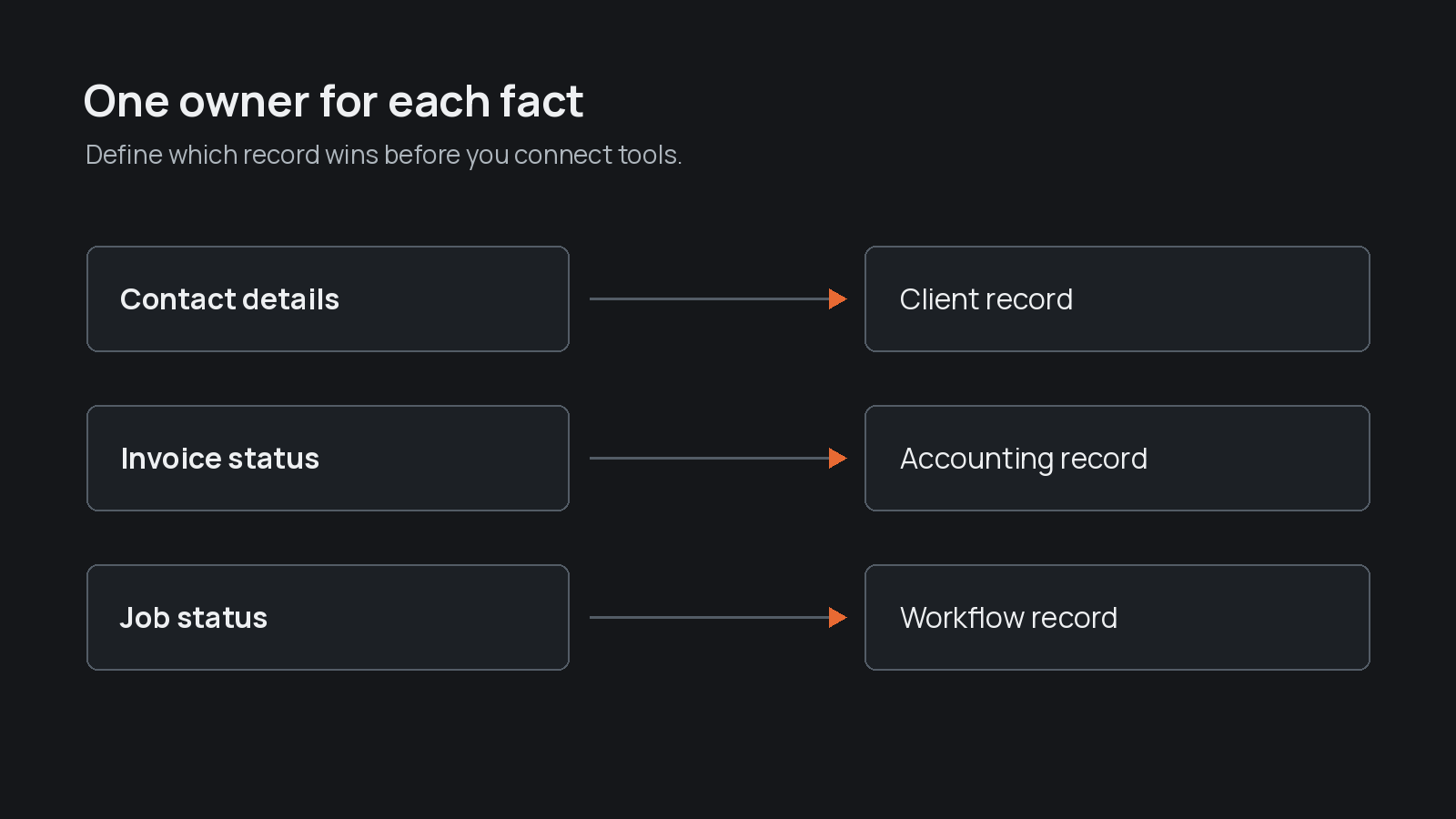
Field ownership names the tool that holds the authoritative value for each piece of information, plus the person allowed to correct it. A field is a single item such as a customer identifier, job status or billing address.
Use the printable systems connection worksheet and complete these prompts for every field your first connection uses:
- Record the field name and what it means in each tool.
- Name the source tool, destination and permitted direction of updates.
- Specify how records match, preferably through a stable identifier rather than a name alone.
- Name the person authorised to correct the source value.
- Decide what happens when the field is missing, the records disagree or the transfer fails.
- Record who checks the result and where the change history can be found.
For illustration, billing details might belong in the accounting tool while job status belongs in the job tool. That does not mean every field should update in both directions. Two tools editing the same value need a conflict rule before the connection goes live.
Save the worksheet with your process documentation. Keep the rules visible to whoever maintains the connection.
Warning
Please note: A successful sync message does not prove the receiving record is correct. Check the customer match, required fields and next action in the destination tool.
Design recovery for failed syncs and conflicting records
A failed sync needs a visible queue, a named owner and a safe way to retry. Conflicting records need someone authorised to decide which value is correct.
Test missing information, repeated events, conflicting edits and expired access before using the connection for live work. For each case, confirm that the connection flags the problem and stops dependent actions when the result is uncertain.
Before retrying, check whether the destination already received the record. Otherwise a retry could create a duplicate job or invoice. Keep enough history to identify what moved and what changed, without copying unnecessary personal information into logs.
Agree how to pause the connection, repair incorrect records and continue the handoff manually. Put that fallback in your business continuity plan, so recovery is possible when the usual owner is away.
Use native integration before adding AI
Native integration uses connections or rules already available in your tools. Prefer it when the task is simply to move known fields after a predictable event.
AI can help interpret an unstructured note or draft a summary, but a person should check uncertain outputs before they change an authoritative record. The National AI Centre's workflow guidance recommends explicit roles, checkpoints and exception testing. For CRM-specific controls, see our AI CRM integration guide.
The OAIC's commercial AI guidance, updated in January 2025, calls for product due diligence and human oversight. Organisations covered by the Privacy Act must consider their obligations when AI handles personal information. Define necessary access before connecting tools, using an IT approval packet where appropriate.
Make the buying decision after the handoff test
Business systems integration should establish whether your existing tools can meet the requirement before you buy another tool. If the connection works, keep the worksheet, recovery rules and ownership checks together.
We help teams systemise their business by making the next action and its owner clear. Start with the handoff that currently depends on someone remembering to copy or chase information.
Frequently asked
- What is business systems integration?
- Business systems integration connects existing tools so information can move between them under agreed rules. Those rules identify authoritative records, update directions, responsible people and recovery steps.
- Should we replace tools or connect them?
- Connect tools when they serve their jobs but people must retype or chase shared information. Consider replacement when an essential task, access control or workable connection remains unsupported.
- What should happen when records conflict?
- Hold uncertain updates for review. The authorised correction owner checks the source evidence and destination record, repairs the value and confirms that a retry will not create a duplicate.