Operating Intelligence
How to Automate Accounting Processes in a Small Practice
Routine jobs become heavy when they arrive incomplete, cross several hands and return to a senior accountant when something does not fit. If you automate accounting processes without making those hand-offs visible, the practice gains speed but loses control.
This guide shows you how to choose one process, map its normal and exception paths, name review ownership and run a safe test. It covers native software rules, integrations and AI-assisted steps in a small Australian practice.
What is accounting process automation?
To automate accounting processes means using software to complete or coordinate defined steps with less manual handling while a named person remains accountable for the outcome. The automated step may use a rule inside existing accounting software, an integration between tools, a workflow engine or a bounded AI task.
This is narrower than general business process automation, which applies across a whole business. It is also broader than AI workflow automation. Most useful accounting process automation does not need AI. A deadline rule, completeness check, status change or approved reminder may be safer and easier with ordinary software.
The accounting-practice test is not simply whether software can perform a step. Ask whether the step preserves the evidence, review and accountability needed around client work. The APES 110 Code of Ethics identifies professional competence and due care, confidentiality and professional behaviour as fundamental principles. Automation should make those responsibilities easier to discharge, not obscure who owns them.
Which accounting process should you automate first?
The best first process is frequent, stable, bounded and easy to review. It should remove a complete pocket of admin without making a consequential decision on its own.
Start with one recent job and count where it waited, returned or needed manual copying. Compare candidates using the same criteria rather than choosing the best product demonstration.
Candidate comparison
- Missing-document follow-up: strong first-process signal: Standard request, clear due date, visible response; reason to hold back: Request depends on unresolved client circumstances.
- Workpaper or task creation: strong first-process signal: Approved trigger and repeatable template; reason to hold back: Job type or scope is still ambiguous.
- Reconciliation exception routing: strong first-process signal: Clear tolerance and named reviewer; reason to hold back: Exceptions cannot be explained or traced.
Score each candidate from one to five for volume, rule stability, reversibility, review visibility and burden removed. Prefer a candidate that removes a queue and exposes exceptions over one that saves clicks but adds daily checking.
If the practice itself is inconsistent, first systemise the small business without adding complexity. A checklist or clearer ownership rule may solve the problem before any new automation is built.
How should you map hand-offs, exceptions and review ownership?
A useful process map follows one client job from confirmed trigger to accepted outcome. It records what moves, who receives it, what evidence travels with it and where the normal path must stop.
Write down these seven elements:
- Trigger: the confirmed event that starts the process.
- Required input: the minimum complete information needed to proceed.
- Hand-offs: every move between people, inboxes, folders and systems.
- Routine rule: what should happen when the input meets the standard.
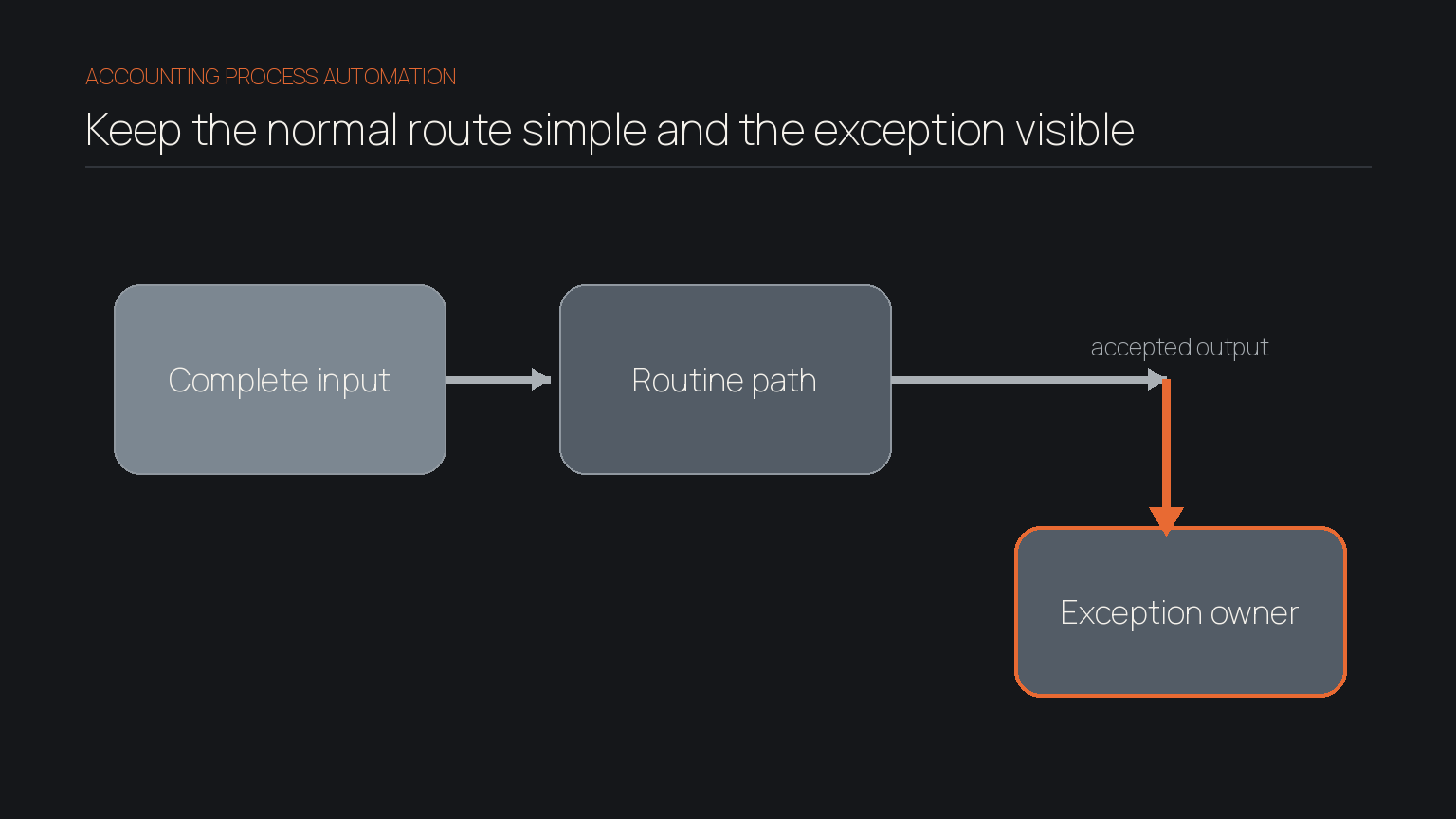
- Exception: the missing, conflicting or unusual condition that stops the routine path.
- Review owner: the role accountable for accepting, correcting or escalating the result.
- Evidence: the source, status history and approval the reviewer must be able to see.
Client verification shows why the exception path matters. The Tax Practitioners Board says tax practitioners should have processes to verify the identity of clients and representatives, and its client verification guidance sets minimum requirements. Software can route the steps and record status. It should not guess when evidence is inconsistent or an authorised relationship is unclear.
Record retention also needs a deliberate design. As at September 2026, the Australian Taxation Office says most relevant business records must generally be kept for five years in its record-keeping overview. Do not assume that copying a value into a field preserves the source record.
Tip
Author's tip: Give the exception queue an owner before switching on the routine path. An unowned exception is delayed work with a cleaner status label.
How can you test accounting automation safely?
A safe test proves the whole route with contained work before the automation becomes the default. Test the process as well as each individual output.
Create a small test set with three types of case:
- a normal case with complete inputs
- an incomplete or contradictory case that should stop
- a failure case, such as an unavailable integration or rejected update
Use test records or controlled copies where possible. If real client information is necessary, limit the batch and access to what the test requires. The Office of the Australian Information Commissioner advises organisations that outsource personal-information handling to assess provider controls and their own responsibilities in its guide to securing personal information. That makes provider review, permissions, retrieval and exit arrangements buyer questions, not assumptions.
Require the review owner to record accepted, corrected or escalated. Confirm the activity history shows the input, action, time and responsible person. Test pausing and recovery after failure.
Keep the first release smaller than your ambition. Our guide to scoping phase one automation explains why a controlled loop produces better evidence than a broad launch. It also reduces the adoption burden described in why hard workflows block AI adoption.
How do you measure accounting automation?
Good measures show whether the process became easier to run and review, not merely faster at one step. Take a baseline before the test, then compare like-for-like cases.
Track five practical measures:
- End-to-end turnaround: elapsed time from confirmed trigger to accepted outcome.
- Touch time: staff time spent actively handling the case.
- First-pass acceptance: proportion accepted without correction.
- Exception age: time an exception waits for its owner.
- Reviewer effort: time spent checking, correcting and reconstructing context.
Record why corrections happen. Missing fields point to intake. Wrong routing points to weak rules. Reviewer reconstruction points to missing context, which is why retaining what the practice knows matters alongside automation.
Review the measures after a representative set of cases, not after one clean example. Continue only when the routine path is trusted, exceptions are visible and supervision has not replaced the admin you removed.
What should an accounting practice not automate?
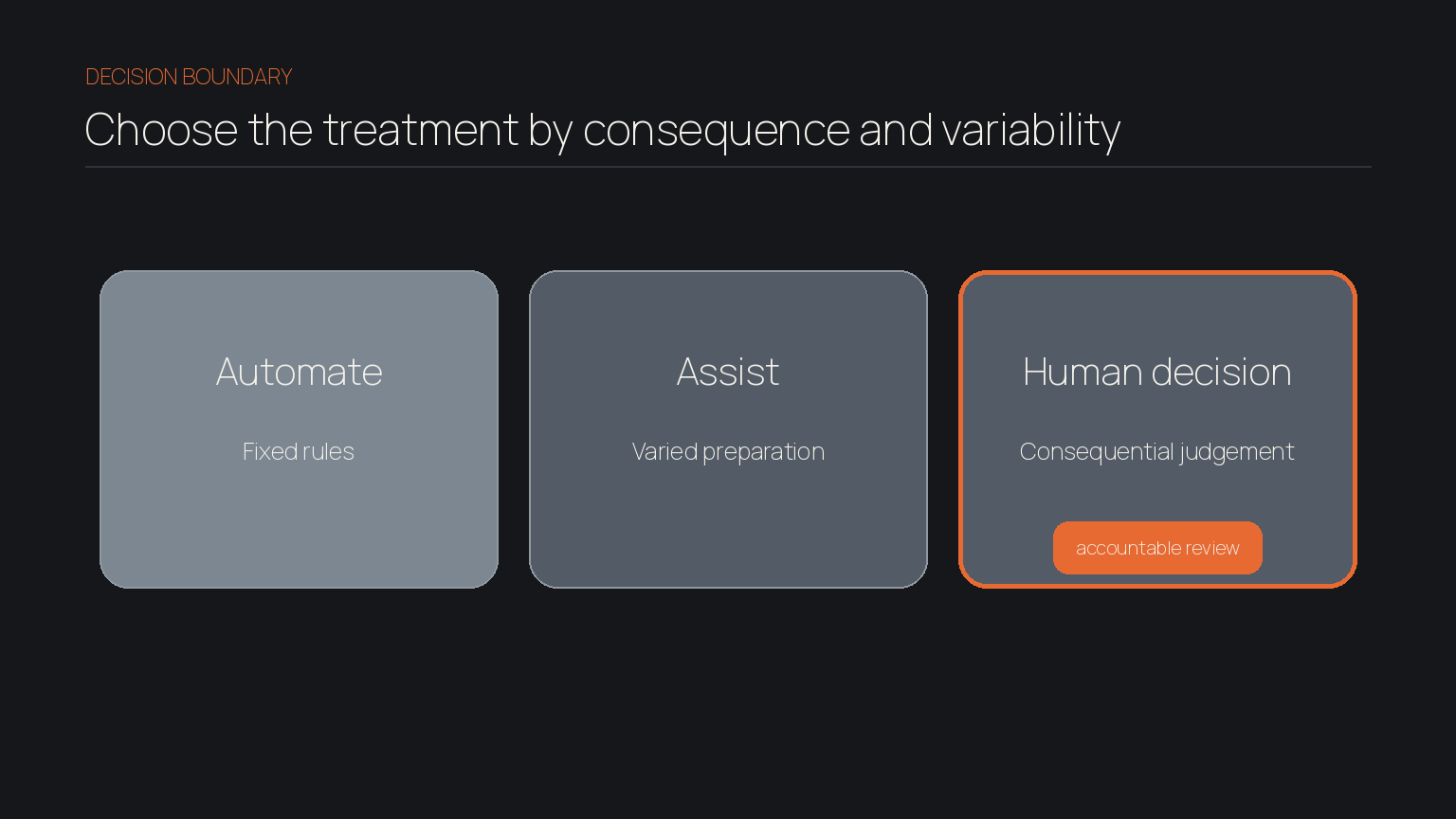
Do not automate a decision merely because the information reaches software. Keep a person in control when the work depends on professional judgement, unresolved facts, client intent or a material consequence.
Examples include final advice, unusual tax positions, acceptance of ambiguous client evidence, complaints, scope changes, irreversible record changes and approvals to lodge or pay. Software may assemble evidence, identify missing information or prepare a draft. The qualified reviewer decides.
The TPB's reasonable care guidance explains that registered practitioners must take reasonable care in ascertaining a client's relevant state of affairs and in ensuring tax laws are applied correctly. A workflow can make the relevant material easier to inspect. It cannot carry the practitioner's obligation.
AI deserves the same boundary. It can help classify varied documents or prepare correspondence from approved context, but an output that affects advice or compliance needs an accountable reviewer. Our comparison of AI tools for Australian small businesses uses the same job-first principle: choose the tool category only after the work and judgement boundary are clear.
Start with one controlled accounting process
When you automate accounting processes well, the normal path becomes lighter and the unusual case becomes easier to see. Map the evidence and hand-offs, name the exception owner, test failure and measure reviewer effort alongside speed.
We help lean teams examine where workflow, context and judgement need to meet before broader automation is worthwhile.
Frequently asked
- Can a small accounting practice automate without buying a new platform?
- Yes. Check the rules, templates, reminders and statuses in your current tools first. Add a product only when the process map shows a material capability gap.
- Is accounting automation the same as artificial intelligence?
- No. It includes fixed rules, templates, integrations and workflow software. AI suits selected pattern-based tasks, such as classifying varied inputs or preparing a review draft.
- Who should own an automated accounting process?
- A named process owner should be accountable for the outcome, while named reviewers handle defined exceptions. The software can route work, but ownership remains with people in the practice.