Operating Intelligence
Accounting Workflow Software: Buyer’s Guide for Australian Practices
Accounting workflow software should route recurring practice work through named owners, deadlines, reviews and exception paths. It should make ready, blocked and returned work visible without relying on inboxes, spreadsheets or partner memory.
This independent buyer's guide explains the category and how to assess routing, reviews, deadlines, integrations, exceptions and client context. Workflow software coordinates the route through work. Practice-management software holds the broader client, capacity and commercial record. Automation performs selected tasks inside the route. We do not sell this software or rank named vendors. The aim is to help you buy with clearer evidence.
What is accounting workflow software?
Accounting workflow software is a system that routes recurring practice work through defined tasks, owners, review stages, deadlines and exception paths. It should show what is ready, blocked, under review, returned or complete without relying on one person to remember the story.
Workflow management for accountants usually covers templates, dependencies, recurring dates, allocation, review gates and status reporting. Some products add documents, time or billing. The core question remains: can the software control the path from trigger to accepted outcome?
This category is more specific than general business process automation. It controls practice jobs, not just one action. Before comparing products, systemise repeat work enough to describe the normal and exception routes.
How is workflow software different from practice-management software?
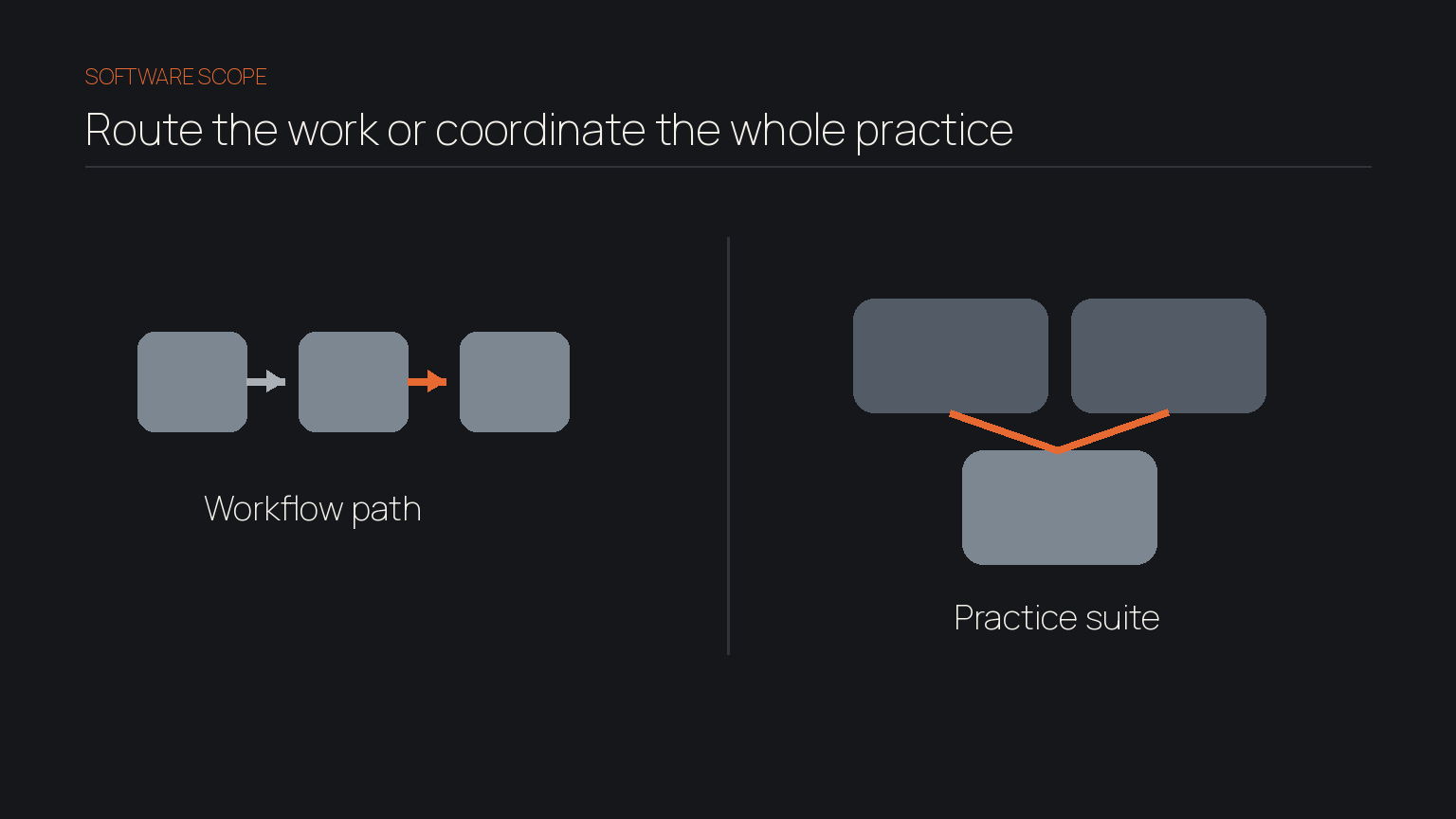
Workflow software manages how jobs move, while practice-management software covers a broader set of functions used to manage the firm. The categories overlap, but they are not interchangeable.
Buying scope comparison
- Core job: workflow software: Route and control recurring work; full practice-management software: Coordinate the wider practice.
- Typical focus: workflow software: Tasks, stages, owners, deadlines, reviews; full practice-management software: Clients, work, capacity, time, billing, documents and reporting.
- Key test: workflow software: Can a job follow the right path?; full practice-management software: Can the firm manage connected functions in one suite?
A small practice may need stronger workflow control around its current stack. Another may want to replace several systems. Do not pay for breadth when the problem is routing, or buy a narrow tool when the brief includes billing, capacity, documents and client records.
Classify required outcomes as workflow, wider practice management or context. This stops a demonstration from expanding the brief.
What should you test in the workflow software?
A serious evaluation tests a complete job, not isolated features. Use one representative workflow and assess six requirements together:
- Routing: Test assignment by job type, client attribute and missing information. Confirm reassignment when a person is unavailable.
- Review stages: Test preparer hand-off, corrections and final acceptance. The reviewer should see sources, changes and prior approval.
- Deadlines: Test recurring jobs, dependencies, internal targets, statutory dates and client delays. Separate actionable work from blocked work.
- Integrations: Test the source of truth, duplicates, field mapping, failed updates and recovery. Our guide to connecting AI to a CRM without more admin applies the same principle: useful connections reduce reconciliation.
- Exception paths: Test how incomplete, conflicting or unauthorised work stops, who receives it and how it returns to the normal route.
- Client context: Test whether current scope, relevant correspondence, prior decisions and source evidence reach the task without uncontrolled copying.
The practical distinction: A status tells you where the work is. Context tells the reviewer why the next decision may be different for this client.
How should you score products independently?
A useful scorecard weights operating fit above presentation. Give each product the same workflow and reviewer, then record evidence rather than impressions.
Score each area from one to five:
- Route fit: Does the product support the normal path and reassignment rules?
- Review evidence: Can a reviewer see sources, changes and approvals without reconstruction?
- Deadline control: Are dependencies, blocks and client delays visible?
- Exception handling: Can unusual work stop, escalate and return safely?
- Integration reliability: Are failed transfers, duplicates and recovery clear?
- Client context: Does relevant history reach the work without uncontrolled copying?
- Administration and exit: Who maintains the rules, and can the practice export usable records?
Agree the weights before demonstrations. An attractive workboard can still fail if exception handling is weak. A broad suite can still fail if staff need extra maintenance. This is the problem covered in why difficult workflows block AI adoption, and it applies to non-AI software too.
Ask vendors to show awkward cases alongside a clean template. Classify gaps as configuration, process change, integration work or a hard limitation.
How much client context should travel with the work?
The work item should carry enough context for the next decision, but not become another uncontrolled client file. Link the task to trusted sources and show the small set of facts, decisions and evidence the reviewer needs now.
A task system may know that a review is due while the reason for an earlier treatment sits in email or a senior accountant's memory. Knowledge management that survives staff changes addresses that wider problem. So does reducing key-person dependency. A workflow is not resilient if one person supplies every exception rule.
For each stage, define what the reviewer needs, which source wins, what should be linked rather than copied and when work stops for clarification.
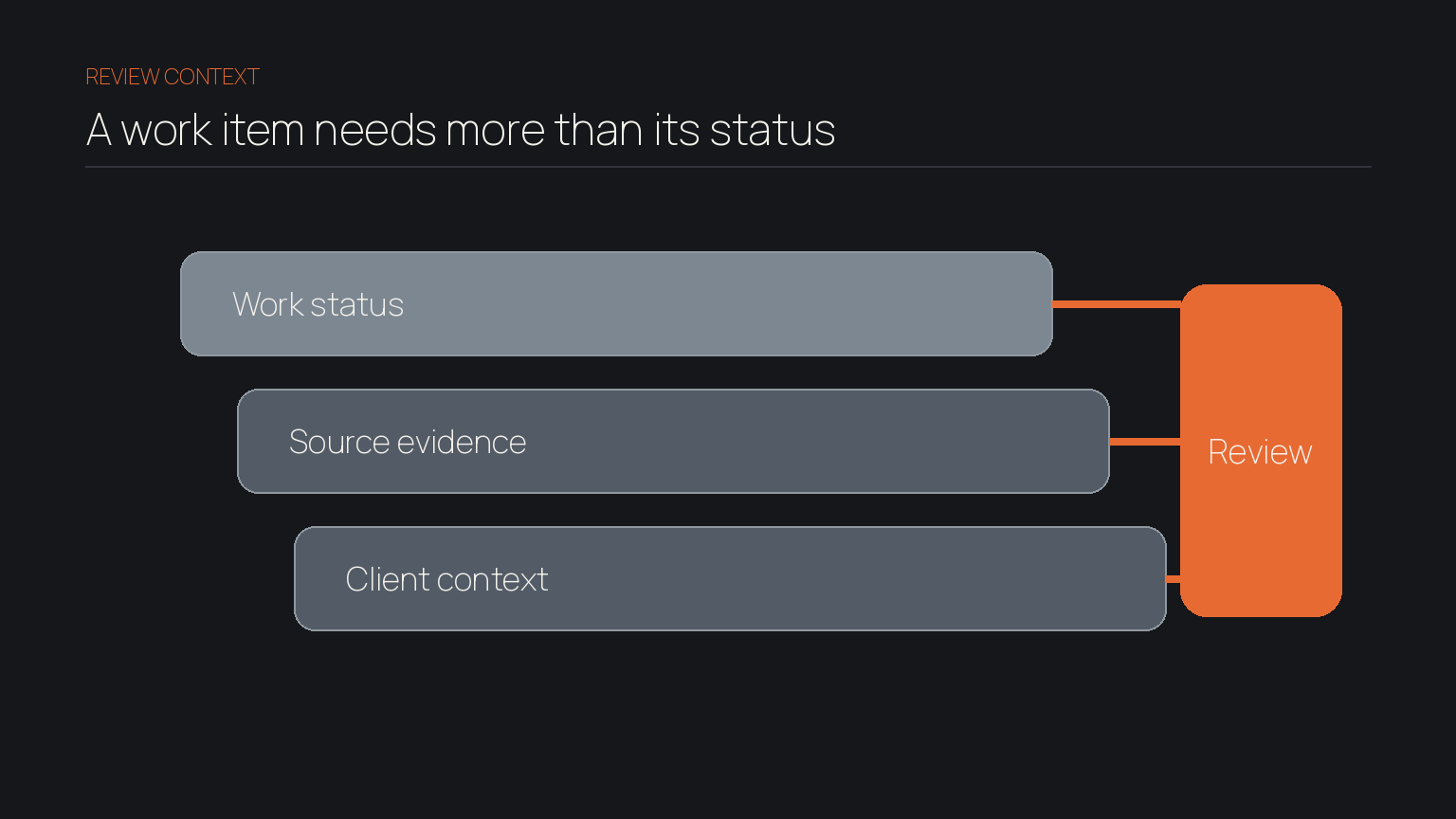
The goal is to make approved evidence available to the people responsible for the next step, not expose every client record to every user.
Which Australian obligations belong in the buying checklist?
Translate professional, record-keeping and information-handling duties into product questions. Software does not make a practice compliant by itself.
The APES 110 Code of Ethics includes professional competence and due care and confidentiality among its fundamental principles. The Tax Practitioners Board also explains registered practitioners' duties in its reasonable care guidance. Ask how evidence, authority and corrections remain visible.
As at September 2026, the Australian Taxation Office says most relevant records generally need to be retained for five years in its record-keeping overview. Ask what is retained, where sources remain and how exports work.
The Office of the Australian Information Commissioner says an APP entity can retain responsibilities when a third party handles personal information. Its guidance for third-party and cloud providers recommends assessing controls, contracts, access and retrieval. Privacy Act coverage depends on your circumstances, so confirm your obligations.
The Australian Cyber Security Centre explains that cloud customers and providers each retain responsibilities in its small-business guidance. Ask who manages access, users, activity, backups and incident response.
How should you roll out workflow management for accountants?
A controlled rollout starts with one representative job and one accountable owner. Expand only when stops and recovery are visible.
Use four phases:
- Define: Map the current trigger, route, reviews, deadlines, exceptions and evidence.
- Configure: Build the smallest complete workflow and assign named owners.
- Test: Run normal, incomplete, corrected and failed cases with a small user group.
- Expand: Adjust rules, train the next group and add another workflow only after the first is stable.
Track turnaround, overdue work, first-pass acceptance, exception age and administration time. Ask what staff still maintain outside the system.
Keep the first boundary narrow enough to change without disrupting the whole practice. The same control principle appears in our guide to scoping a first automation, even when the chosen workflow product uses no AI.
Choose the route before the product
The right workflow product makes the practice less dependent on inbox searching, personal memory and invisible hand-offs. Define the work, test the complete route and buy only when routine jobs move while review, exceptions and client context stay visible.
We help lean teams examine how workflow, information and judgement need to connect before adding broader automation or AI.
Frequently asked
- Does a sole practitioner need workflow software?
- Only if recurring work is difficult to track, review or recover. An existing checklist may be enough at low complexity. Buy when the gap is persistent and measurable.
- Does the software need AI?
- No. Reliable routing, deadlines, dependencies and review stages usually rely on ordinary rules. AI may assist with selected tasks, but it should not replace professional judgement or accountable approval.
- What makes a workflow product the best fit?
- The best fit handles your representative job, exceptions, evidence, integrations and administration load with the least avoidable friction. There is no universal winner without your process and obligations.